Another Box Office Graphic

By: Jeff Clark    Date: Fri, 01 Aug 2008

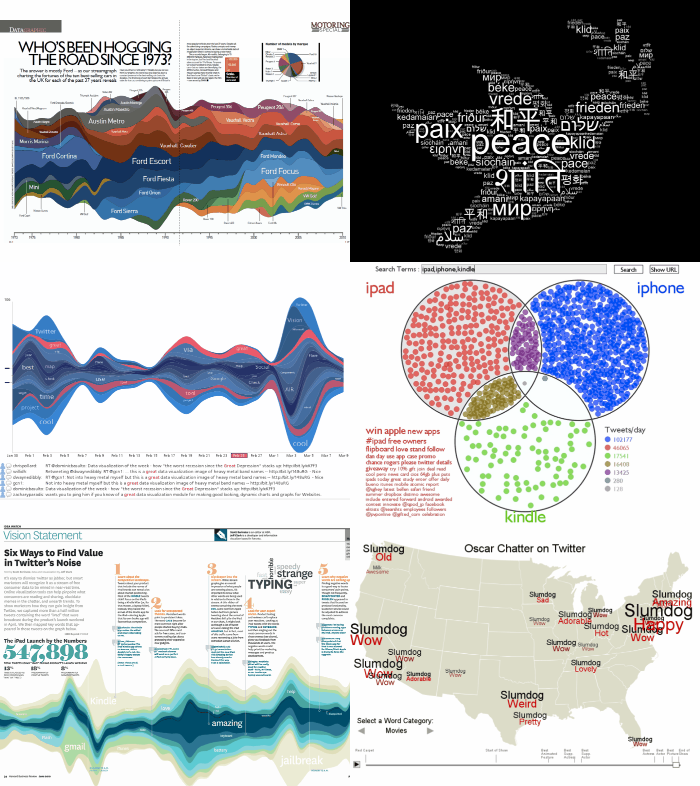
Zach Beane has created another variation on a graphic to illustrate movie box office data. See Movie box office charts for the original but here are a few interesting bits:


In Zach's words:

Each page displays trends in the top 25 movies at the box office for each weekend in a year. The color is based on the movie's debut week. Because of that, long-running movies will gradually start to stand out from newer movies with different colors.
There is an interactive version as well.

Related posts: Movies Ebb and Flow

Twitter StreamGraphs

By: Jeff Clark    Date: Tue, 15 Jul 2008

I just posted a new application in my projects section called Twitter StreamGraphs. It is an interactive tool to let you create StreamGraphs from the latest tweets containing a given word or from a particular user. A few examples are shown below.

Twitter StreamGraph for coffee
 
Twitter StreamGraph for Obama
 
Twitter StreamGraph for @scobleizer

The application shows a StreamGraph for the latest 200 tweets which contain the search word. The default search word is 'interesting' but a new one can be typed into the text box at the top of the application. You can also enter a Twitter ID preceded by the '@' symbol to see the latest tweets from that user. A parameter to the URL can be used to specify the initial search word. For example, use http://www.neoformix.com/Projects/TwitterStreamGraphs/view.php?q=coffee to see the latest tweets about coffee. This makes it possible to link to a StreamGraph for your own tweets from your blog or within a twitter update.

The StreamGraph shows the usage over time for the words most highly associated with the search word. One of these series together with a time period are in a selected state and coloured red. The tweets that contain this word in the given time period are shown below the graph. You can click on another word series or time period to see different matches. In the match list you click on any word to create a different graph with tweets containing that word. You can also click on the user or comment icons and any URL to see the appropriate content in another window. If you see a large spike in one time period that hides the detail in all the other periods it will be useful to click in the area to the left of the y-axis in order to change the vertical scale.

Credits go to Lee Byron for the visual ideas behind the StreamGraph (although I'm using a simpler symmetrical form), to Processing for the development tools, to Martin Porter for the Porter Stemming Algorithm, to Vaga for the two small icons, and to Summize for building a great API into the Twitter data.

Related posts are TwitArcs and Twitter Spectrum.

Canada Day

By: Jeff Clark    Date: Tue, 01 Jul 2008

Happy Canada Day ! I've created a simple flag graphic using a few words that come to my mind when I think of Canada.

TechCrunch Analysis Part II

By: Jeff Clark    Date: Fri, 27 Jun 2008

My last post explored the company and product names discussed on TechCrunch and how they varied over time. The number of posts written by the various authors and how it varied over time was also illustrated. An obvious follow-up analysis is to look at the interaction between author and company/product names. Do certain TechCrunch authors specialize in writing about particular companies or products ? Or do some authors avoid specific domains ?

I've done this analysis and presented the results below. For each of the top 6 authors and top 60 names the number of times each author used each name was determined. The first graph shows the breakdown for the top 10 names. The second has the same form and shows numbers 11-60 but I've broken it into a separate graph because it uses a different scale. This lets us see more details for these names. I have also colored the bars to show proportional use of the names. A deep blue color means that the name was used proportionally much more often for that author and a deep red shows that it was used proportionally much less often. Paler colors indicate a lesser degree of high(blue) or low(red) usage.

Click on the images to see larger views Top 10 TechCrunch Names Author Breakdown
 
11-60 TechCrunch Names Author Breakdown

Some things that I spotted quickly from the larger version of the top 10 graphic include:

  1. There aren't too many names that were discussed a lot more by a particular author - no deep blues
  2. Perhaps the deepest blue in the graphic shows that Hendrickson discussed FaceBook proportionally more than the others
  3. Unusually low (deeper red) combinations are Schonfeld-Digg, Kirkpatrick-FaceBook, and to a lesser degree Gonzalez-Microsoft and Hendrickson-Microsoft
Some of the notable features in the 11-60 graphic are:
  1. Arrington discusses Life (as in Second Life, Yahoo Life, Online Life, various others), VOIP, Adsense, Silverlight, and P2P proportionally less than average
  2. High proportional names for Riley include Twitter, Life, Windows, and Silverlight
  3. Low proportional names for Riley include RSS, Flash, Zoho, AJAX, Salesforce, NetVibes, and Wikia
  4. High proportional names for Schonfeld include Comscore, Bebo, Salesforce, and especially OpenSocial
  5. Low proportional names for Schonfeld include RSS, Life, API, URL, Ning, photobucket, and a few more
  6. Other high proportional pairings are Kirkpatrick-RSS and IM, Gonzalez-VOIP and Zoho, Hendrickson-Bebo,Ning,Hulu and OpenSocial
Some of these differences in proportional frequency of references are likely due to the fact that certain companies and products were discussed a lot in particular periods of time and the number of articles posted by the various authors varied a lot over the time period. For example, Twitter wasn't really mentioned on TechCrunch until around Feb 2007 which was around the time Marshall Kirkpatrick stopped posting so it isn't suprising that he didn't mention Twitter hardly at all.

The data for this analysis was kindly provided by Yuvi from The StatBot.

TechCrunch Analysis

By: Jeff Clark    Date: Wed, 25 Jun 2008

TechCrunch is a weblog that reviews products or companies that are having an impact on the internet. Who do they write about and how do references to these companies or products vary over time ? I've analyzed the proper names referenced in their posts in the time frame May 1st, 2006 until April 30th, 2008 - 2 years of data. I discarded place names and people and plotted the top 8 names with the most references in a StreamGraph below.

Click on the image for a larger view Top 8 TechCrunch Names StreamGraph

The graph clearly shows the companies that have dominated TechCrunch coverage over the last 2 years. Google looks biggest with FaceBook, Yahoo, and Microsoft being quite large as well. You can spot the increase in coverage for Microsoft and Yahoo in Feb of this year due to the merger talks. Notice also that MySpace and FaceBook were fairly even until July 2007 when FaceBook began dominating. If you look closely you can also tell that Twitter has become important lately with the number of references in April 2008 very similar to both Microsoft and FaceBook.

Click on the image for a larger view Top 8 TechCrunch Names Line Graph

The standard line graph for the same data lets you see some details more clearly. Google was indeed the most referenced company in all but a few months where it was barely exceeded by Yahoo (Sep 2006, Feb 2008) and FaceBook (Aug and Oct 2007). And references to Twitter did barely exceed Microsoft and Facebook in Apr 2008.
 
The standard line graph cannot usefully show the top 20 names because so many of the series overlap each other and can't be distinguished. The StreamGraph version for 20 names is much more useful at full size.

Top 20 TechCrunch Names StreamGraph

(More...)

Obama/McCain Economic Statement StreamGraphs

By: Jeff Clark    Date: Thu, 19 Jun 2008


The above StreamGraphs show the texts delivered by Obama and McCain recently on the American economy. Click on either one to see more detail. Obama's remarks, given the title Renewing American Competitiveness, were delivered at Kettering University in Flint, Michigan on June 16th, 2008. John McCain delivered his remarks concerning America's Leadership in the Global Economy to the National Restaurant Association, in Chicago, Illinois, on May 19, 2008. Of course it's more informative to actually read the texts but these things do jump out from the graphics:

  • McCain mentions 'tax' a lot more than Obama
  • McCain mentions 'tax' a lot more towards the beginning of his speech than the end
  • McCain mentions the large numbers 'million', 'billion' and 'trillion' a lot, they aren't prominent in Obama's remarks
  • Obama mentions 'teachers', 'schools', and 'education' a lot, not McCain
  • They both discuss 'jobs' and 'trade' although trade is a bit more prominent towards the end of Obama's speech
  • Obama mentions 'oil' and 'energy'
  • McCain mentions 'farmers' and 'subsidies'
  • Obama mentions 'Bush', McCain doesn't mention him with any prominence

My Twitter ID

By: Jeff Clark    Date: Wed, 18 Jun 2008

I've been having fun playing with Twitter data lately. It's a wonderful playground for those interested in analyzing text data. I'm also starting to actually use the service a bit more for early announcements of projects I'm working on. Feel free to follow Jeff Clark to see my updates. I try and keep my signal to noise ratio pretty good :-)

Little Brother StreamGraph

By: Jeff Clark    Date: Tue, 17 Jun 2008

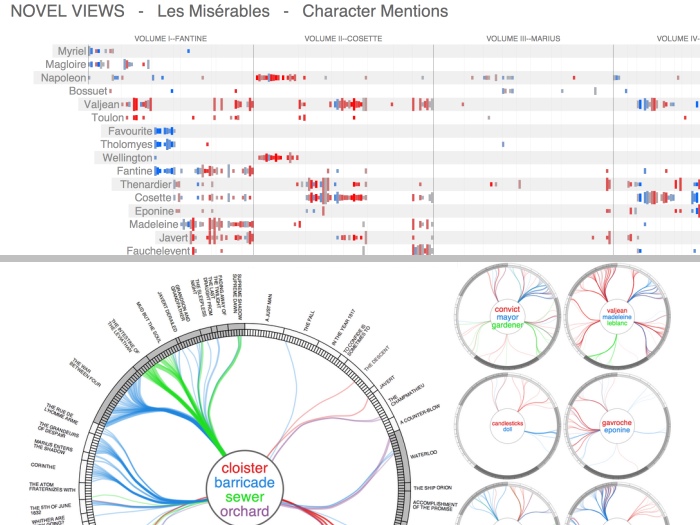
I have created another StreamGraph, this one for the book Little Brother, by Cory Doctorow. Click on it to see a larger version. It shows the distribution of proper noun references across the text. Here are a few things you can pick out from the graph:

  • major people referenced seem to be Darryl, Ange, Van
  • lots of secondary characters like Charles, Marcus, Mom, Dad, Jolu
  • Jolu appears primarily around the middle of the text
  • Ange referenced much more often in the second half of text
  • About 1/3 through the text there are lots of references to Booger, Zit, and Pigspleen none of which seem to reappear afterwards to any great degree
  • Booger, Zit, and Pigspleen seem associated with Internet, Xnet
  • Masha figures prominently in the end of the text but not beforehand

See the post Tom Sawyer Character StreamGraph for a very brief description of how it was constructed. The design of the graph is based loosely on those created by Lee Byron.

Here is another for a different work by Cory, Down and Out in the Magic Kingdom.

Tom Sawyer Character StreamGraph

By: Jeff Clark    Date: Tue, 17 Jun 2008

The above image is a StreamGraph for the book The Adventures of Tom Sawyer, by Mark Twain. Click on it to see a larger version. It seems to do a pretty good job of communicating the ebb and flow of the various characters throughout the book. The Mississippi River figures prominently in the book so a stream-like representation of the text seems appropriate.

I have adapted the StreamGraph code used to create the various Twitter Topic Streams so I can create StreamGraphs from arbitrary text documents. The document is split up into 25 equal sized segments and the word counts are done within each segment. These segments are used in place of time along the horizontal axis of the StreamGraph. This document StreamGraph again focuses on capitolized words but ignores a few common ones like 'Mr' and 'Mrs'. I'm also using a longer format for the graph and showing two labels for each word series - one on the left half of the graph, and one on the right. The difference in label size for the same word can show whether it was used more frequently in the first or second half of the document. In the 'Tom Sawyer' graphic above you can clearly see that both 'Ben' and 'Mary' are more prominent in the first half of the text but that 'Huck' is more common in the second half.

Twitter Topic Streams for some Top Users

By: Jeff Clark    Date: Mon, 16 Jun 2008

Many people seemed to enjoy the Topic StreamGraph I made a few days back for Robert Scoble so I have created Topic StreamGraphs for some of the other top Twitter users. If you missed my post from last week on Twitter Topic Streams a quick explanation is that they illustrate the most interesting capitolized words used in the tweets for these people. I removed many common terms from consideration including most of the placenames although a few managed to squeak through.

Wordle

By: Jeff Clark    Date: Wed, 11 Jun 2008

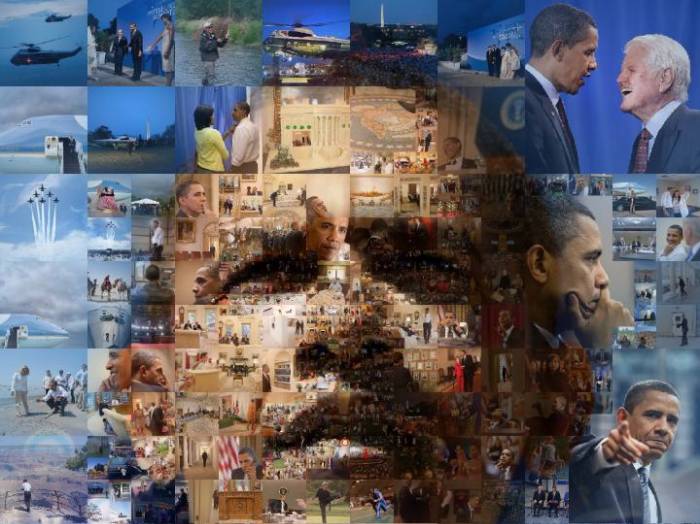
Jonathan Feinberg has created an interesting toy for building excellent looking word clouds from submitted text. You can adjust the font, color scheme, and choose from a variety of layouts. It's similar in many ways to what I did with Word Hearts a couple of months ago. A few samples are shown below. Great work Jonathan !


Twitter Topic Stream

By: Jeff Clark    Date: Wed, 11 Jun 2008

The above StreamGraph illustrates the distribution of the most interesting capitolized words in the StatBot dataset of all the updates for the top 100 twitter users. I removed most place names (NY, Paris, Boston etc) and several common words like 'twitter', 'lol', 'company', 'web', and 'internet'. The interestingness of a word was quantified by a function of the total references as well as the burstiness of the word distribution.

The most 'interesting' words in this data are primarily product, technology, or technology event names with the exceptions of 'Scoble' and 'Obama'. This isn't surprising since the top twitter users are early-adopters interested in technology. I was a bit surprised at the large volume for Seesmic but discovered that it is a company founded by Loic Le Meur, the 6th top twitter user.

I also created the twitter topic stream for Robert Scoble shown below. The graphic does a pretty good job of highlighting the primary technologies Scoble focused on over the last year or so.


(More...)

Top Twitter Users StreamGraph

By: Jeff Clark    Date: Wed, 11 Jun 2008

This StreamGraph shows the top twitter users based on the number of tweets sent during the period December 2006 until April 2008. Click the image to see a larger version with more of the labels legible.

Twitter Client Usage StreamGraph

By: Jeff Clark    Date: Tue, 10 Jun 2008

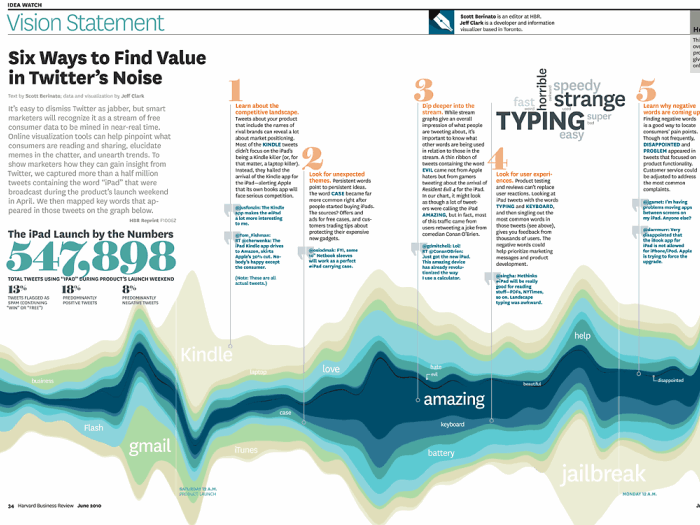
I have mentioned before the wonderful stream-like visualizations created by Lee Byron. I've written some code so I can create my own using whatever data I want. The one above was constructed using the twitter data from The StatBot. You can click on it to see a larger version of the image. I left out the first few months which had a very low volume of data so this one runs from Dec 2006 to Apr 2008.

For a small number of series a simple line graph would be superior because you can directly see which values are larger at each point in time. These StreamGraphs do a better job of emphasizing the sum at each point and the breakdown into the various series. I think StreamGraphs are also better at showing lots of series that dominate for short parts of the timespan of interest. For example see the image below that shows movie revenues. There are a great many movies illustrated and each one is only present in a fairly small part of the overall range of time.

Lee Byron and Martin Wattenberg have written a short paper describing the design decisions and algorithms behind these types of graphics. Have a look at Stacked Graphs - Geometry & Aesthetics (pdf) if you are interested in the details.

Top Twitter Users Over Time

By: Jeff Clark    Date: Fri, 06 Jun 2008

Using data from The StatBot again I've built some graphs detailing usage of the top twitter users over the May 2006- May 2008 period. A line graph with this data is too crowded to interpret properly unless we restrict it to only a few top users so I decided to create a set of bar graphs instead. The pink bars are the highest for that month and the highest month of all is the last scobleizer month - 2005 tweets for April 2008. Here are a few observations:

  1. chrisbrogan has the most tweets overall but his totals were eclipsed in most months by newmediajim
  2. scobleizer jumped in quickly in Mar 2007 and had the most tweets of anyone in his first month of use
  3. down at #21 'ev' seems to have the highest use during the first few months. This isn't surprising since 'ev' is Evan Williams, Co-founder of Twitter
  4. guykawasaki and problogger are high in the overall usage rankings despite starting later than many of the others

Twitter Client Usage Over Time

By: Jeff Clark    Date: Fri, 06 Jun 2008

I've constructed a graph showing how use of Twitter clients by power users has changed over time. I used a dataset containing all the tweets from the power users in the Twitterific Top 100 list which was graciously provided by Yuvi, over at The StatBot. Two full years of data, from May 1st, 2006 until April 30th, 2008 were used for the analysis. The main things that jump out for me are:

  1. Web client use dominates
  2. txt client use seems to have plateaued between Mar 2006 and Mar 2008
  3. very rapid recent growth for Twhirl
  4. decent growth for im
  5. all the curves are fairly spiky

There have been some other recent posts giving statistics on the clients used most often to post updates to Twitter. One, from ReadWriteWeb, was called How We Tweet: The Definitive List of the Top Twitter Clients and was based on a random sample of over 37,000 tweets from the public timeline. The results were posted April 2, 2008 so I presume the data was collected shortly before then. The top 3 clients from their survey were:

  1. Web 56% (20734)
  2. IM 8% (2975)
  3. Twhirl 7% (2754)
Visit the original post for full results.

Yuvi, more recently, did a similar analysis based on the data he provided to me. He listed a number of findings by constrasting the two datasets including that the power users make use of both SMS txt messages (10% vs 5%) and Mobile Twitter (6% vs negligible) much more often than the typical user. He also claimed that the power users are using Twhirl less than the typical user (5% vs 7%). I believe this claim is incorrect.

The two studies mentioned above show an average client usage over very different time periods. The ReadWriteWeb study uses data from a 24 hour period around April 2, 2008 but the StatBot analysis uses a complete list of tweets that span a timeframe from March 21st, 2006 until May 25th, 2008. Drawing comparisons between two datasets based on such vastly different time periods should be done very cautiously. Twhirl is relatively new and Yuvi's analysis used lots of historical data before Twhirl was available.

The StatBot analysis showed that on average it was the 6th most popular client. In fact, if you look at the graph above at the point between Mar and Apr 2008, which corresponds to when the 'typical user' study was done by ReadWriteWeb, you can easily see that Twhirl was actually the second most popular client for power users. I've looked at the power user data for all tweets between Mar 31st and Apr 2nd, 2008 and there were 241 for Twhirl out of 1833 total - 13% , which is much higher than the ReadWriteWeb result of 7% for typical users. This makes sense to me - power users have more of an incentive to install a specialized client than an average user who doesn't use twitter very often.

Just for fun, (well, and to try and get them to link to me ! ), I have generated graphs for two of the top power users: Robert Scoble and Chris Brogan. Note that the clients are coloured differently in the three graphs. Ideally, for easy comparison, they should be consistent. Here are a few observations concerning their patterns of use:

  1. Scoble has a huge peak for use of the web client around Mar 2007 and a lull in overall usage in June 2007
  2. Scoble switched to be a heavy user of twitterific for the last half of 2007 and again had a peak in usage
  3. Starting in Nov 2007 Scoble switched from twitterific to im as his primary client - web usage still common as well
  4. Scoble dabbles in many other twitter clients as well
  5. Brogan had a large drop in web client use at the same time as Scoble - Mar 2007, but didn't drop as far
  6. Brogan has used the mobile client a great deal since Jun 2007

TwitArcs

By: Jeff Clark    Date: Thu, 29 May 2008

I've combined some visuals from a side project related to linguistics with twitter data to create TwitArcs. It takes the latest 100 tweets for a twitter ID or term of interest and creates a list representation that has arcs connecting messages sent to the same users or that use the same primary term. You can click on the left side to load the tweets for a new user, on the right side to load the tweets for a specific term, and in the middle to visit the actual tweet.

Thanks to Twitter and Summize for the data and Processing.org for the tools. Give TwitArcs a try !

TwitArcs (static image)

Twitter Spectrum Changes

By: Jeff Clark    Date: Tue, 20 May 2008

I've slightly improved the Twitter Spectrum application so that clicking on words used in conjunction with both terms properly use OR in the query. I also changed the default search terms to 'from:jasoncalacanis' and 'from:scobleizer' to show how you can compare the tweets from two users rather than related to two terms.

Twitter Spectrum (static image)

Twitter Spectrum

By: Jeff Clark    Date: Thu, 15 May 2008

Just for fun, I've modified my News Spectrum application to take data from Twitter instead. Its called Twitter Spectrum of course ! It uses the wonderful Summize which provides excellent search capability for Twitter data.

As before, one topic is coloured blue, the other red, and the associated words are coloured and positioned based on how highly they are associated with the two topics. Click on any word to see the related tweets. Give Twitter Spectrum a try ! As always, feedback is welcome.

Thanks to Twitter and Summize for the data, Processing.org for the tools, and Chris Harrison for the inspiration behind the design.

Twitter Spectrum (static image)

News Spectrum

By: Jeff Clark    Date: Tue, 13 May 2008

Introducing News Spectrum ! It is a visualization of the words used for two topics in the latest results from Google News. One topic is coloured blue, the other red, and the associated words are coloured and positioned based on how highly they are associated with the two topics. Click on any word to see the related Google News results.

This is a generalization of my recent Obama McCain News Spectrum that allows you to enter your own terms of interest. Press the 'Enter' key to generate the spectrum after entering your words. The layout algorithm has also been improved to minimize the number of overlapping words. Give News Spectrum a try ! As always, feedback is welcome.

Thanks to Google News for the data, Processing.org for the tools, and Chris Harrison for the inspiration behind the design.

News Spectrum (static image)

Older Posts...